Quotes
Overview
BiznisBox allows you to create quotes for your customers. You can create an invoice from a quote. Quotes are not mandatory, you can create invoices directly.
Creating a quote
To create a quote, go to the quotes page and click on the "New quote" button. You will be redirected to the quote creation page.
Quote details
After creating a quote, you will be redirected to the quote details page. Here you can see the quote details, edit the quote, download the quote as PDF, create an invoice from the quote, or delete the quote.
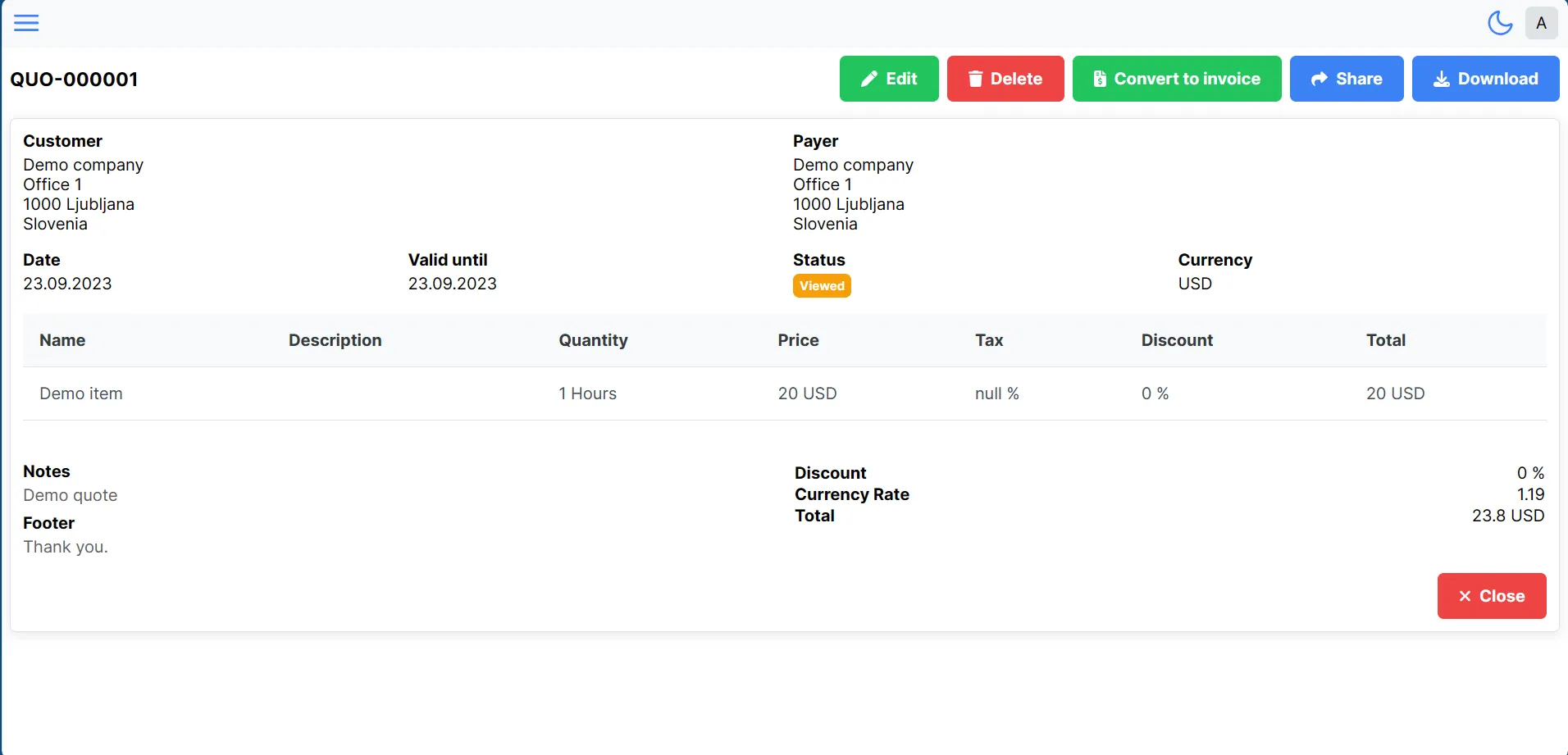
You can edit the quote by clicking on the "Edit" button. You will be redirected to the quote editing page.
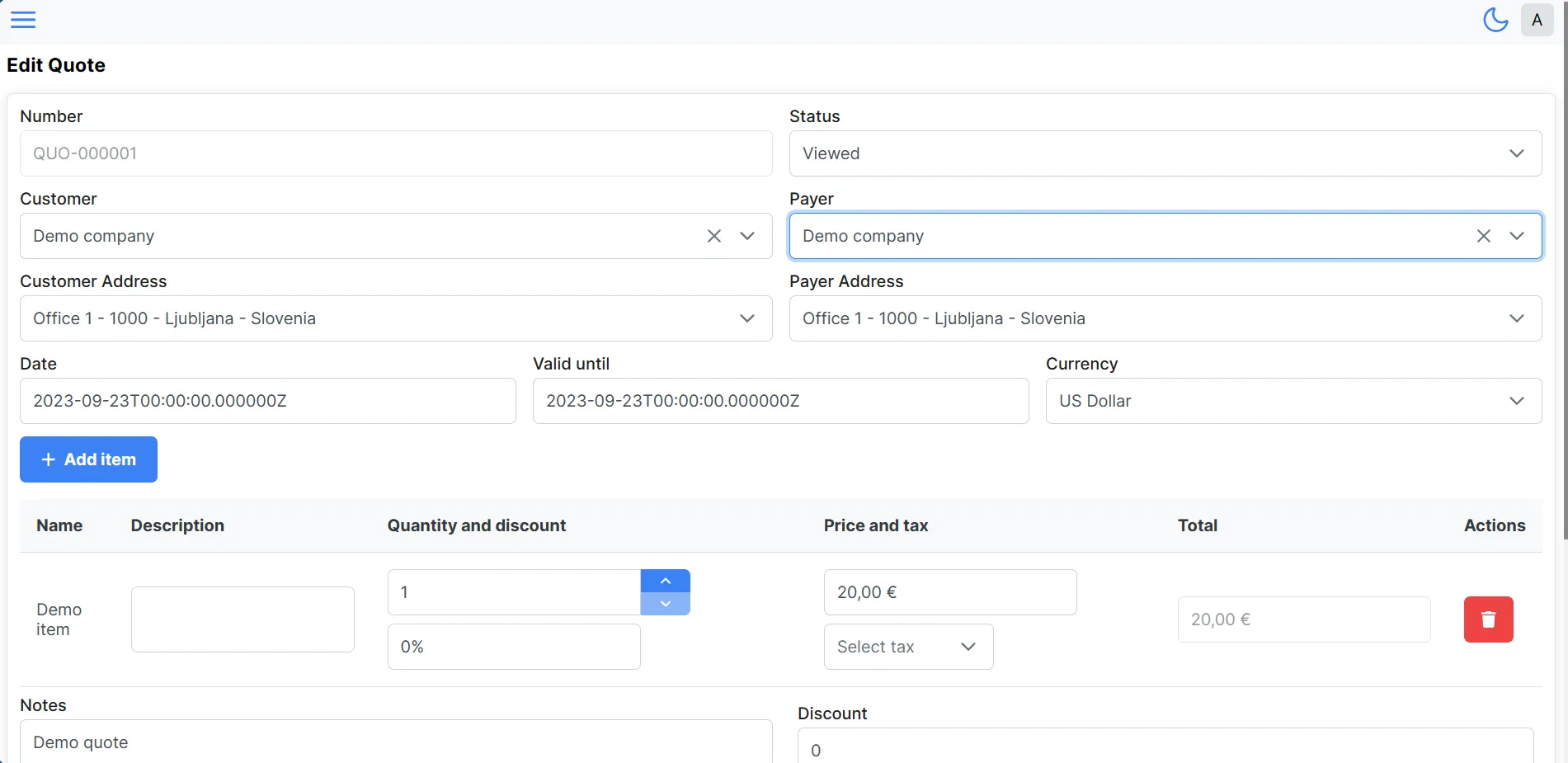
Editing a quote
You can edit the quote by clicking on the "Edit" button on the quote details page. You will be redirected to the quote editing page.
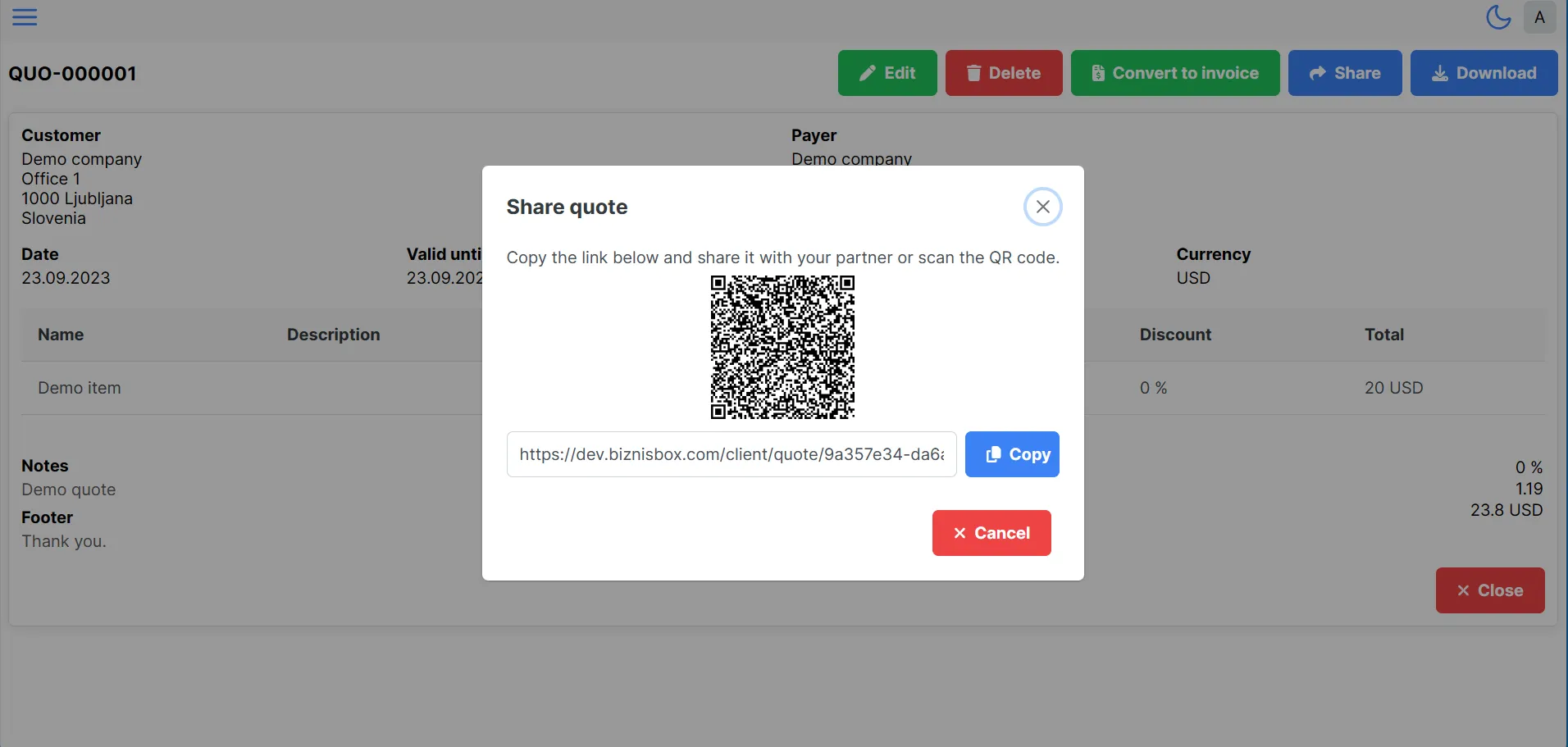
Sharing a quote
You can share the quote with your customer by clicking on the "Share" button on the quote details page. Then will you see the share dialog. You can share quotes with your customer by email or QR code.