Numbering
Overview
Numbering is used for customizing the numbering of documents. You can set the document numbering for each document type separately.
Document numbering is set by default when you create a new company. You can change the numbering at any time but you can not change the numbering of the document that is already created.
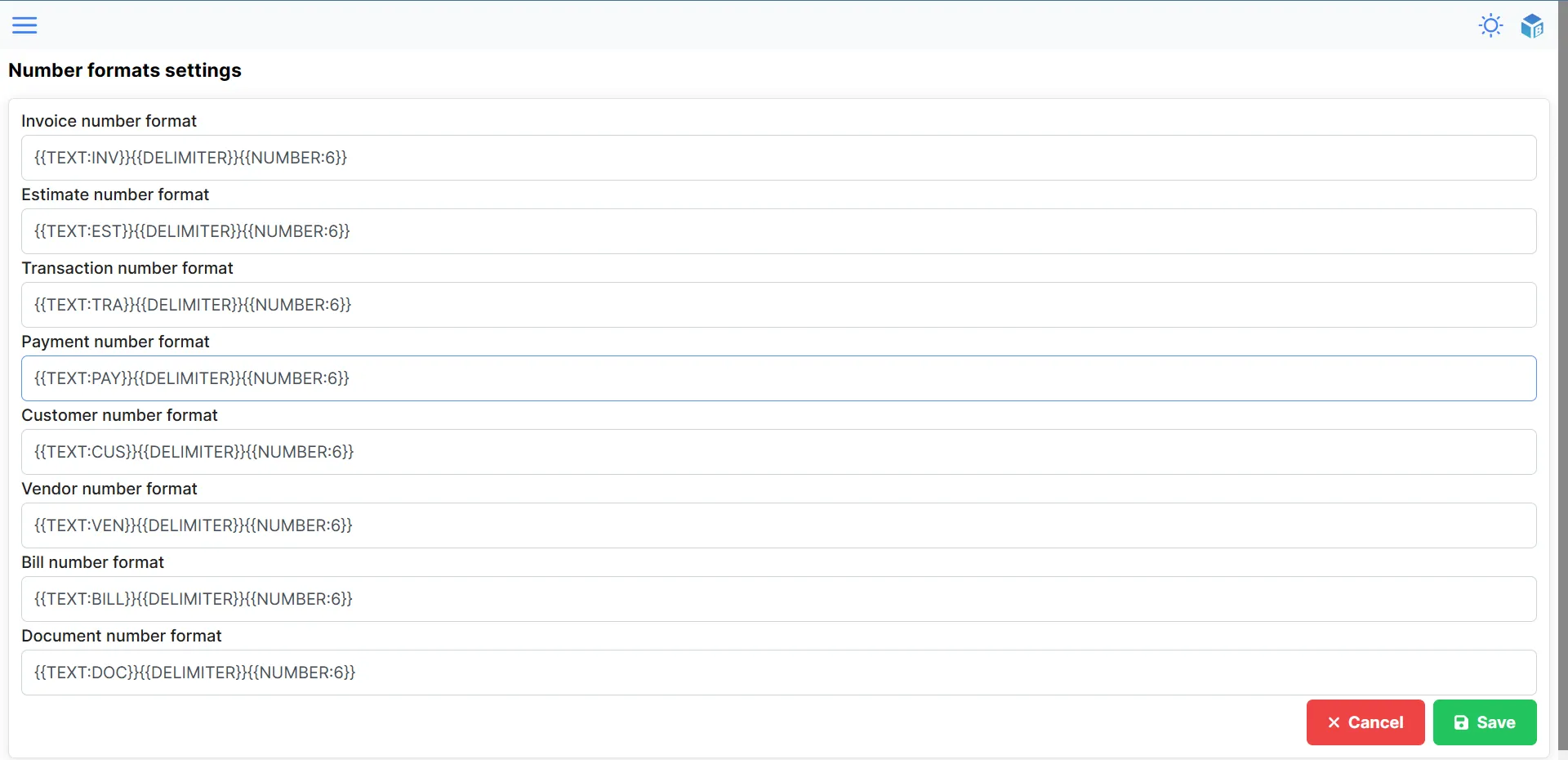
Numbering format parameters
The numbering format is a string that can contain the following placeholders:
TEXT:- any text that you want to add to the numbering (e.g. INV, EST, etc.)NUMBER:- the number of the document (incremented by one for each new document) (number of digits can be set)DATE:- the date of the document (date format can be set)DELIMITER- delimiter between the text, number and date
Placeholders which include : are followed by the parameter.
{{TEXT:INV}}will add the textINVto the numbering.{{NUMBER:6}}will add the number000001to the numbering. Adding the number of digits will add leading zeros to the number if the number is less than the number of digits.{{DATE:Y}}will add the current year2023to the numbering.
You can combine placeholders in any order and add any text between them.
Numbering format examples
{{TEXT:INV}}{{DELIMITER}}{{NUMBER:6}}- will generate the following numbering:INV-000001{{TEXT:EST}}{{DELIMITER}}{{DATE:Y}}{{DELIMITER}}{{NUMBER:6}}- will generate the following numbering:EST-2019-000001
Date format parameters
You can format the date in the numbering format. You can use the following parameters:
Y- year (e.g. 2019)y- year (e.g. 19)M- month (e.g. Aug)m- month (e.g. 01)D- day (e.g. Thu)d- day (e.g. 01)
There are used the same parameters as in the PHP date function. You can find more information about the date format here.